

A friend of mine runs a 14-person accounting firm. Last spring, a staff member opened an invoice attachment that looked exactly like it came from a regular client. It wasn't. Within six hours, every shared drive on their network was encrypted, and the attackers wanted roughly €40,000 in crypto to unlock it. They paid. They got maybe 70% of their files back. The other 30%? Gone, along with two weeks of billable work and a client who walked.
That story isn't unusual. It's the default outcome for businesses that treat cybersecurity as an IT afterthought. If you're reading this, you're probably past the "it won't happen to us" stage and want a real plan for how to protect business data from cyber attacks. Good. That instinct is worth more than any security tool you'll ever buy.
What follows is what I've actually seen work across small and mid-sized companies, including the mistakes I made myself when I was the one responsible for keeping a 60-person agency's data safe. No fear-mongering, no magic bullet. Just the stuff that moves the needle.
Key Takeaways
- Most breaches start with a human, not a piece of malware exploiting a zero-day. Employee security awareness training beats almost any tool.
- Ransomware protection depends far more on offline, tested backups than on paying for the shiniest detection software.
- Endpoint security without a patching routine is like locking your front door while leaving the windows open.
- Multi-factor authentication is the single highest-leverage change most small businesses can make this week.
- You can't protect what you haven't mapped. Know where your data lives before you defend it.
- A 30-minute incident response plan you've rehearsed once is worth more than a 40-page document nobody has read.
Why small businesses get hit hardest
Big companies have security teams, budgets, and legal departments that make attacking them expensive. You don't. That asymmetry is exactly why attackers love small and mid-sized targets: the payoff per victim is smaller, but the cost of breaking in is often near zero.
Here's the part that surprised me when I first started digging into this: most small business breaches aren't targeted at all. They're opportunistic. Someone buys a list of stolen credentials on a forum, runs an automated script against thousands of login pages, and waits. The businesses that fall are simply the ones that didn't have multi-factor authentication turned on.
What a breach actually costs a small business
When I helped that accounting firm recover, the ransom was the cheapest line item. The real damage was downtime, the cost of a forensic consultant, lost clients, and the owner's own time spent for three weeks doing nothing but triage. Roughly a third of small businesses that suffer a serious breach never fully recover their pre-incident revenue. Not because the technical fix is impossible, but because the disruption compounds.
And it's not just money. If you handle client financial data or health information, you're on the hook for notification obligations and possible regulatory penalties. The paperwork alone can outlast the technical recovery.
- Stolen credentials are the most common entry point for small business attacks
- Downtime usually costs more than any ransom demand
- Reputational damage outlasts the technical cleanup by months
- Regulatory and notification obligations can trigger even if no data was actually exfiltrated
The takeaway: you're not being targeted because you're interesting. You're being targeted because you're cheap to attack. That's a solvable problem.
Lock down the human layer first
Every security professional I respect says the same thing, and it's boring enough that people tune it out: your employees are your biggest vulnerability and your best defense. Both are true at once.

Phishing remains the number one delivery method for ransomware and credential theft. Not because people are stupid, but because modern phishing emails are genuinely good. I've seen a fake DocuSign notification that fooled a developer who'd been writing code for 15 years. The tell wasn't the email. It was that he clicked at 6:47 p.m. on a Friday when he was tired and wanted to go home.
What good security awareness training actually looks like
Annual slideshow training does nothing. I mean that. I've watched companies run the same 20-minute video for three years and still have a 30% click rate on simulated phishing tests. What works is short, frequent, and slightly annoying.
Send simulated phishing emails once a month. Keep them realistic. When someone clicks, don't shame them—show them exactly what gave the email away, in two sentences, right there in the browser. Track the click rate over time. If it drops from 30% to under 10% in six months, you've done more for your security than any firewall upgrade.
Pair that with a dead-simple rule: verify any request for money or credentials through a second channel. A phone call to a known number. A message in a separate chat. This one habit kills the vast majority of business email compromise attempts, which is a category of attack that has quietly become one of the most expensive for small firms.
How often should you train employees on security?
Monthly simulations, quarterly short refreshers, and a proper onboarding session for every new hire within their first week. New employees are disproportionately likely to fall for phishing because they don't yet know what "normal" looks like at your company. Don't wait 90 days to train them.
One more thing: make it safe to report mistakes. If someone clicks a bad link and gets yelled at, nobody will report the next one, and a small incident becomes a catastrophe. The companies with the best security cultures are the ones where "I think I messed up" gets a fast, calm response.
Build ransomware protection that actually holds
Ransomware is where the theory meets the road. You can do everything else right and still get hit—what matters is whether you can recover without paying.
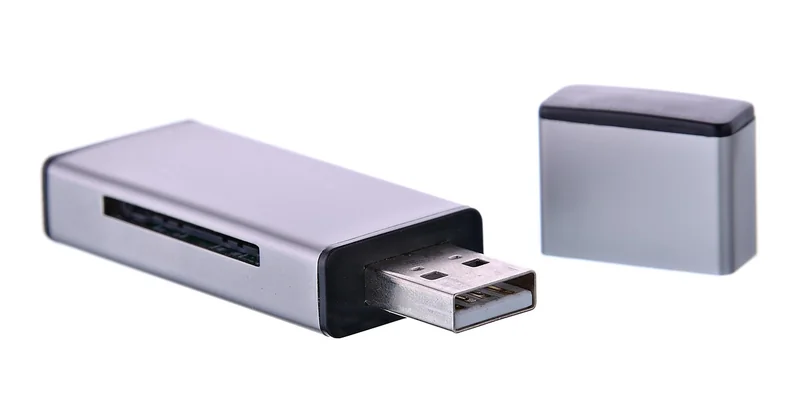
The single most important principle: a backup that's connected to your network is not a backup, it's a hostage. Modern ransomware looks for connected backup drives and network shares first, and encrypts them along with everything else. I learned this the hard way years ago when a client's "backup server" got wiped in the same attack as the primary data because it was mounted as a network drive.
The 3-2-1-1 rule, explained simply
You've probably heard of 3-2-1: three copies of your data, on two different media, with one offsite. In 2026, add a fourth: one copy that's offline or immutable. That means a drive that's physically disconnected most of the time, or cloud storage with object-lock enabled so nothing can overwrite or delete it for a set period.
| Backup type | Protects against | Weakness |
|---|---|---|
| Local external drive | Accidental deletion, drive failure | Encrypted in ransomware attacks if left connected |
| Cloud sync (Dropbox, Drive) | Device loss, minor file issues | Syncs the encryption too; not a real backup |
| Cloud backup with versioning | Ransomware, accidental changes | Can be compromised if admin credentials are stolen |
| Offline/immutable copy | Ransomware, insider threats | Slower to restore, needs discipline to maintain |
Test your restores. Actually restore a file. Then restore a whole folder. I've seen backups that ran perfectly for two years and turned out to be unrecoverable because nobody had ever tried. A backup you haven't restored from is a hope, not a plan.
If you handle sensitive client data, this is also where good financial planning for your business pays off—budgeting for proper backup infrastructure up front is far cheaper than the alternative.
Key point: ransomware protection is mostly a backup discipline problem dressed up as a security problem. Solve the backup, and the ransom demand loses its teeth.
Endpoint security and the patching routine nobody wants to do
Every laptop, phone, and server that touches your network is an endpoint, and every one of them is a potential doorway. Endpoint security software—the modern replacement for old-school antivirus—watches for suspicious behavior rather than just known malware signatures. It's worth having. But it's not the whole story.
The unglamorous truth is that most successful attacks exploit vulnerabilities that were patched months ago. The attacker isn't a genius. They're just patient, and they know that a meaningful share of businesses never get around to applying updates.
A patching routine that survives contact with reality
Here's what I do now, after years of half-hearted patching attempts:
- Turn on automatic updates everywhere it's safe—browsers, operating systems, common apps.
- For servers and anything critical, patch on a fixed monthly schedule. Not "when we remember."
- Keep a short list of anything that can't be auto-updated, and check it manually every week.
- Retire software you no longer use. An unpatched app you forgot about is a door left open.
Network segmentation matters too, especially if you have anything like a point-of-sale system or medical devices. If one machine gets compromised, it shouldn't be able to reach everything else. This is the kind of thing that sounds technical but is really just good hygiene—keep the crown jewels behind another locked door.
Do I really need a firewall and a VPN in 2026?
Yes, and no. A basic firewall is non-negotiable—most routers have one built in, and you should make sure it's on. A VPN matters most for remote workers connecting to internal systems; it keeps that traffic encrypted and hides internal resources from the open internet. If your team works entirely in cloud apps with proper access controls, the VPN matters less, but the firewall and access controls matter more.
Map your data and back it up like you mean it
You can't defend what you haven't inventoried. I know that sounds like corporate-speak, but it's the difference between a security plan and a wish list.
Spend an afternoon listing every place your business data lives. Customer records. Financial files. Email. That shared drive everyone dumps things into. The CRM. The accounting software. Your team's personal phones, which probably have work email on them. It's usually more places than you expect, and each one is a separate risk surface.
Once you've mapped it, apply the principle of least privilege: people should have access to what they need to do their job, and nothing else. When someone leaves, revoke their access the same day. I've personally seen a disgruntled ex-employee log into a company account weeks after being let go because nobody bothered to change the password. That's not a technical failure. That's a process failure.
This is also where thinking about your broader business resilience helps. If you're building something you plan to eventually sell or step back from, having clean, well-protected data systems makes the whole thing more valuable—the same way creators think about protecting an asset before selling it.
The incident plan you can actually run at 2 a.m.
You will not be at your sharpest when an attack happens. That's why you write the plan before you need it.

Keep it short. One page is fine. It should answer four questions: Who do we call first? How do we isolate affected systems? Where are the backups and how do we restore them? Who talks to clients and regulators, and what do they say?
Write it down. Print it. Store a copy somewhere that isn't on the network that might be encrypted. Then run through it once, out loud, with the people who'd actually be involved. I've watched companies discover during a real incident that the person listed as "IT contact" had left the company eight months earlier. Don't be that company.
The businesses that come out of an attack intact aren't the ones with the biggest security budgets. They're the ones that knew what to do next and had rehearsed it. That's the whole game.
Where to start tomorrow morning
If you take nothing else from this, take the sequence. Turn on multi-factor authentication everywhere it's available—that's today's job. Then check that your backups are actually offline and actually restorable—that's this week's. Then start the monthly phishing simulations and the monthly patching routine—that's this month's.
None of this requires a security team or a six-figure budget. It requires the willingness to treat your data as something worth defending before something goes wrong, not after. That accounting firm I mentioned at the start? They've since done all of the above. The owner told me recently that the biggest change wasn't technical—it was that his team finally stopped assuming someone else was handling it.
So here's your next action, right now: open your laptop, log into your email provider, and turn on two-factor authentication. It takes four minutes. Do it before you close this tab.
Frequently Asked Questions
What's the single most important thing a small business can do to prevent a data breach?
Enable multi-factor authentication on every account that supports it, especially email and financial systems. Stolen credentials are the most common entry point, and MFA blocks the vast majority of automated attacks that use them. It's cheap, fast, and effective.
Is cybersecurity for small business really different from enterprise security?
The threats are similar, but the constraints are different. You don't have a dedicated security team, so you need simple, automated defenses and clear processes rather than complex tools. Focus on the basics done consistently: MFA, patching, backups, and employee training.
How much should I budget for cybersecurity as a small business?
There's no universal number, but most small firms can cover the essentials—MFA, endpoint protection, cloud backup with versioning, and basic awareness training—for a modest monthly cost. The bigger investment is usually time: setting up routines and sticking to them. Compare that to the cost of downtime and lost clients, and the math usually favors prevention.
Can I recover my data without paying a ransomware demand?
Often yes, if you have clean, offline backups and a tested restore process. That's why the offline copy matters so much. Paying is unreliable—you may not get everything back, and you mark yourself as someone who pays. Prevention through backups is the only dependable answer.
How do I know if my business has already been breached?
Warning signs include unexpected password reset emails, unfamiliar login alerts, slow systems, files with strange extensions, or clients receiving messages you didn't send. If something feels off, isolate the affected device from the network and change critical passwords from a different, clean device before investigating further.


